
Python 키워드 검색
이 빠른 시작 가이드에서는 몇 개의 문서를 색인하고 Python으로 쿼리해 봅니다. 여기서 다루는 개념과 기법은 백엔드 애플리케이션을 Elasticsearch에 연결해 쿼리에 응답하도록 만드는 데 도움이 됩니다.
또한 여러 프로그래밍 언어로 제공되는 공식 Elasticsearch 클라이언트도 소개합니다. 이 클라이언트들은 색인, 검색, 클러스터 관리를 위한 API를 완전하게 지원합니다. 성능에 최적화되어 있고 Elasticsearch 릴리스에 맞춰 지속적으로 업데이트되므로 호환성과 보안이 보장됩니다.
이 가이드는 Elasticsearch에 대한 사전 지식을 요구하지 않지만, 기본적인 Python 개발 경험은 있다고 가정합니다. 아래 단계를 따라 하려면 최신 버전의 Python 인터프리터가 필요합니다.
-
프로젝트 생성
서버리스 프로젝트를 만드는 방법은 두 가지입니다:
- 신규 사용자라면 14일 무료 체험에 가입해 서버리스 프로젝트를 생성하세요. Elastic Cloud 체험판에 대한 자세한 내용은 Trial features를 참고하세요.
- 기존 고객이라면 Elastic Cloud에 로그인하세요. 홈 페이지에서 서버리스 프로젝트를 생성하는 새 옵션을 볼 수 있습니다. 프로젝트를 생성하려면
admin사전 정의 역할이나 이에 상응하는 커스텀 역할이 필요합니다. User roles and privileges를 참고하세요.
참고조직에서 방화벽, 프록시 또는 보안 웹 게이트웨이로 브라우저 아웃바운드 트래픽을 제한한다면 사용자가
kibana.estccdn.com과cloud.elastic.co에 접근할 수 있는지 확인하세요. 이 도메인이 차단되면 서버리스 프로젝트에서 Kibana가 빈 페이지로 로드될 수 있습니다. 자세한 내용은 Browser access requirements를 참고하세요.참고Elastic Cloud 조직에는 조정 가능한 500개의 서버리스 프로젝트 한도가 있습니다. 이 한도에 도달하면 프로젝트를 추가로 생성할 때 오류가 발생합니다. 한도 상향을 요청하려면 Elastic 지원팀에 문의하세요.
Elasticsearch 프로젝트 유형을 선택하고 이름을 입력하세요. 필요하다면 리전 같은 프로젝트 설정을 수정할 수 있습니다.
이후 단계에서 샘플 데이터를 추가하려면
developer또는admin사전 정의 역할이나 이에 상응하는 커스텀 역할이 있어야 합니다. 역할 기반 접근 제어에 대해 알아보려면 User roles로 이동하세요. -
인덱스 생성
인덱스는 이름이나 별칭으로 고유하게 식별되는 문서의 모음입니다. 인덱스를 생성하려면:
- 내비게이션 메뉴 또는 전역 검색창을 사용해 Index Management로 이동합니다.
- Create index를 선택하고 Keyword Search를 선택한 뒤 안내되는 워크플로를 따릅니다.
클라이언트가 프로젝트와 통신할 수 있게 하려면 API 키도 생성해야 합니다. Create an API Key를 선택하고 기본값을 그대로 사용하세요. 이 가이드에는 기본값으로 충분합니다.
팁인덱스와 API 키에 대한 자세한 내용은 Index fundamentals와 Serverless project API keys로 이동하세요.
-
Python 클라이언트 설치
키워드 검색 워크플로에서 원하는 언어를 선택하세요. 이 가이드에서는 Python을 사용합니다.
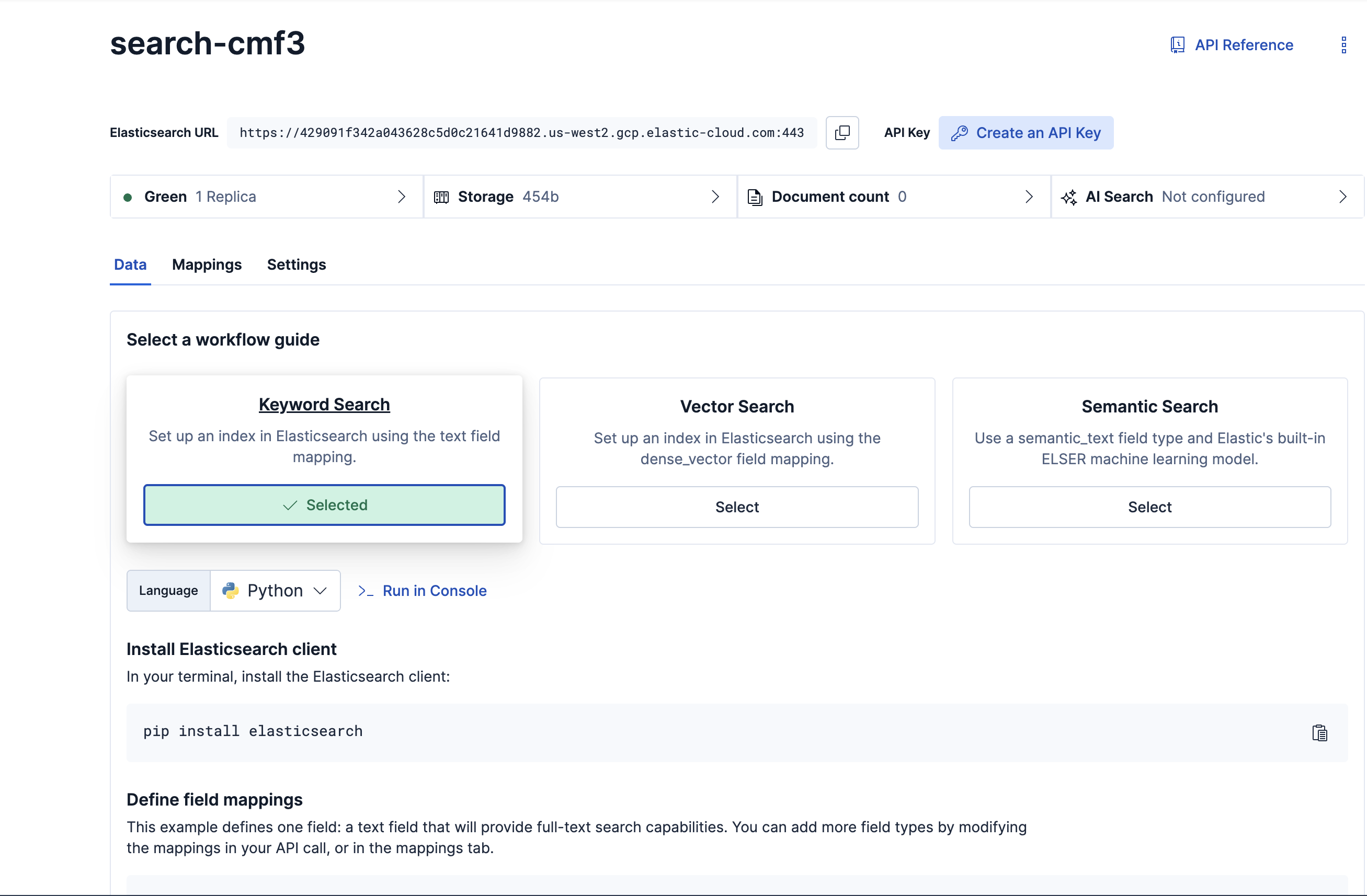
Elasticsearch 클라이언트 라이브러리는
pip으로 설치하는 Python 패키지입니다:python -m pip install elasticsearch -
프로젝트에 연결
클라이언트에서 Elasticsearch 서버리스 프로젝트에 연결하려면, 안내 워크플로에 있는 다음 코드 예제를 대화형 모드의 Python 인터프리터에 복사하세요: 예를 들어, 클라이언트에서 Elasticsearch 서버리스 프로젝트에 연결합니다:
from elasticsearch import Elasticsearch, helpers

client = Elasticsearch(
    "YOUR-PROJECT-URL",
    api_key="YOUR-API-KEY"
)

index_name = "YOUR-INDEX"
프로젝트 URL, API 키, 인덱스 이름은 실제 값으로 바꿔야 합니다.
-
필드 매핑 정의
인덱스에는 데이터가 어떻게 저장되고 색인되는지 정의하는 매핑이 있습니다.
text라는 단일 텍스트 필드를 포함한 매핑을 인덱스에 생성하세요:mappings = { "properties": { "text": { "type": "text" } } } mapping_response = client.indices.put_mapping(index=index_name, body=mappings) print(mapping_response)요청이 성공하면 매핑 생성을 확인하는 응답이 반환됩니다:
{'acknowledged': True} -
문서 수집
다음으로 bulk 헬퍼 함수를 사용해 인덱스에 문서 세 개를 추가합니다. bulk 요청은 수백 건에서 수십억 건에 이르는 대용량 데이터를 색인할 때 권장되는 방식입니다.
docs = [
    {
        "text": "Yellowstone National Park is one of the largest national parks in the United States. It ranges from the Wyoming to Montana and Idaho, and contains an area of 2,219,791 acress across three different states. Its most famous for hosting the geyser Old Faithful and is centered on the Yellowstone Caldera, the largest super volcano on the American continent. Yellowstone is host to hundreds of species of animal, many of which are endangered or threatened. Most notably, it contains free-ranging herds of bison and elk, alongside bears, cougars and wolves. The national park receives over 4.5 million visitors annually and is a UNESCO World Heritage Site."
    },
    {
        "text": "Yosemite National Park is a United States National Park, covering over 750,000 acres of land in California. A UNESCO World Heritage Site, the park is best known for its granite cliffs, waterfalls and giant sequoia trees. Yosemite hosts over four million visitors in most years, with a peak of five million visitors in 2016. The park is home to a diverse range of wildlife, including mule deer, black bears, and the endangered Sierra Nevada bighorn sheep. The park has 1,200 square miles of wilderness, and is a popular destination for rock climbers, with over 3,000 feet of vertical granite to climb. Its most famous and cliff is the El Capitan, a 3,000 feet monolith along its tallest face."
    },
    {
        "text": "Rocky Mountain National Park  is one of the most popular national parks in the United States. It receives over 4.5 million visitors annually, and is known for its mountainous terrain, including Longs Peak, which is the highest peak in the park. The park is home to a variety of wildlife, including elk, mule deer, moose, and bighorn sheep. The park is also home to a variety of ecosystems, including montane, subalpine, and alpine tundra. The park is a popular destination for hiking, camping, and wildlife viewing, and is a UNESCO World Heritage Site."
    }
]

bulk_response = helpers.bulk(client, docs, index=index_name)
print(bulk_response)
bulk 헬퍼에 대한 자세한 내용은 Client helpers를 참고하세요.
-
데이터 살펴보기
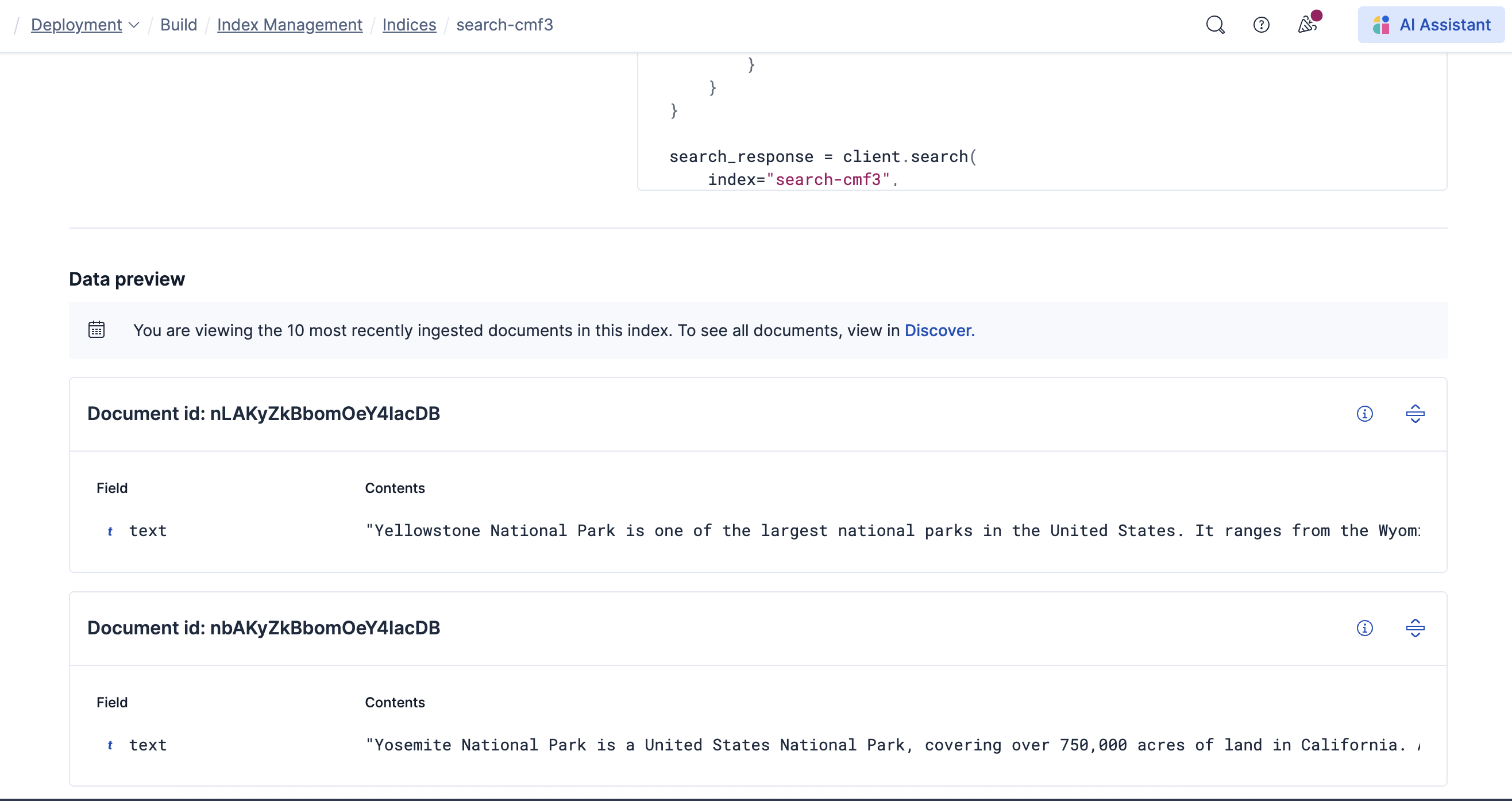
이제 안내 워크플로에서 문서를 확인할 수 있습니다:
-
키워드 검색 테스트
렉시컬 검색 또는 전문 검색이라고도 하는 키워드 검색은 정확한 일치, 패턴, 유사도 점수를 사용해 인덱스에서 관련 문서를 찾습니다. 안내 워크플로는 Query DSL을 사용하는 예제를 제공합니다. 또는 Elasticsearch Query Language(ES|QL)로 특정 키워드와 일치하는 문서를 찾아볼 수도 있습니다:
response = client.esql.query( query=""" FROM * | WHERE MATCH(text, "yosemite") | LIMIT 5 """, format="csv" ) print(response)팁*와일드카드 대신 인덱스 이름을 사용해 쿼리 범위를 좁힐 수 있습니다. 자세한 내용은 ES|QL reference를 참고하세요이 경우 결과에는 쿼리와 일치하는 문서가 포함됩니다:
"Yosemite National Park is a United States National Park, covering over 750,000 acres of land in California. A UNESCO World Heritage Site, the park is best known for its granite cliffs, waterfalls and giant sequoia trees. Yosemite hosts over four million visitors in most years, with a peak of five million visitors in 2016. The park is home to a diverse range of wildlife, including mule deer, black bears, and the endangered Sierra Nevada bighorn sheep. The park has 1,200 square miles of wilderness, and is a popular destination for rock climbers, with over 3,000 feet of vertical granite to climb. Its most famous and cliff is the El Capitan, a 3,000 feet monolith along its tallest face."
Now you are ready to use the client to query Elasticsearch from any Python backend like Flask, Django, etc. Check out the Elasticsearch Python Client documentation to explore further
키워드 검색 쿼리를 더 테스트해 보거나, Index Management 페이지로 이동해 벡터 검색 또는 시맨틱 검색 쿼리 워크플로를 따라해 보세요.
테스트를 마치고 샘플 데이터 세트가 더 이상 필요 없다면 인덱스를 삭제하세요:
client.indices.delete(index=index_name)
이 빠른 시작 가이드에서는 Elasticsearch 사용의 기본을 다뤘습니다. 더 깊이 알아보려면 다음 자료를 참고하세요: